How to Write a Sales Letter with AI (That Doesn't Sound Like AI)
A step-by-step process for using AI to write B2B sales letters that are specific, human-sounding, and built to convert—not generic drafts you cringe at.
Every AI-generated sales letter that sounds awful has one thing in common: the person who created it gave the model nothing to work with.
"Write a sales letter for our outreach automation tool targeting agencies." That prompt produces a letter for everyone, which means it's for no one. The AI fills in the blanks with the most statistically common sales letter patterns, which is why the output reads like it was assembled from a kit.
The fix isn't a better model. It's a better brief.
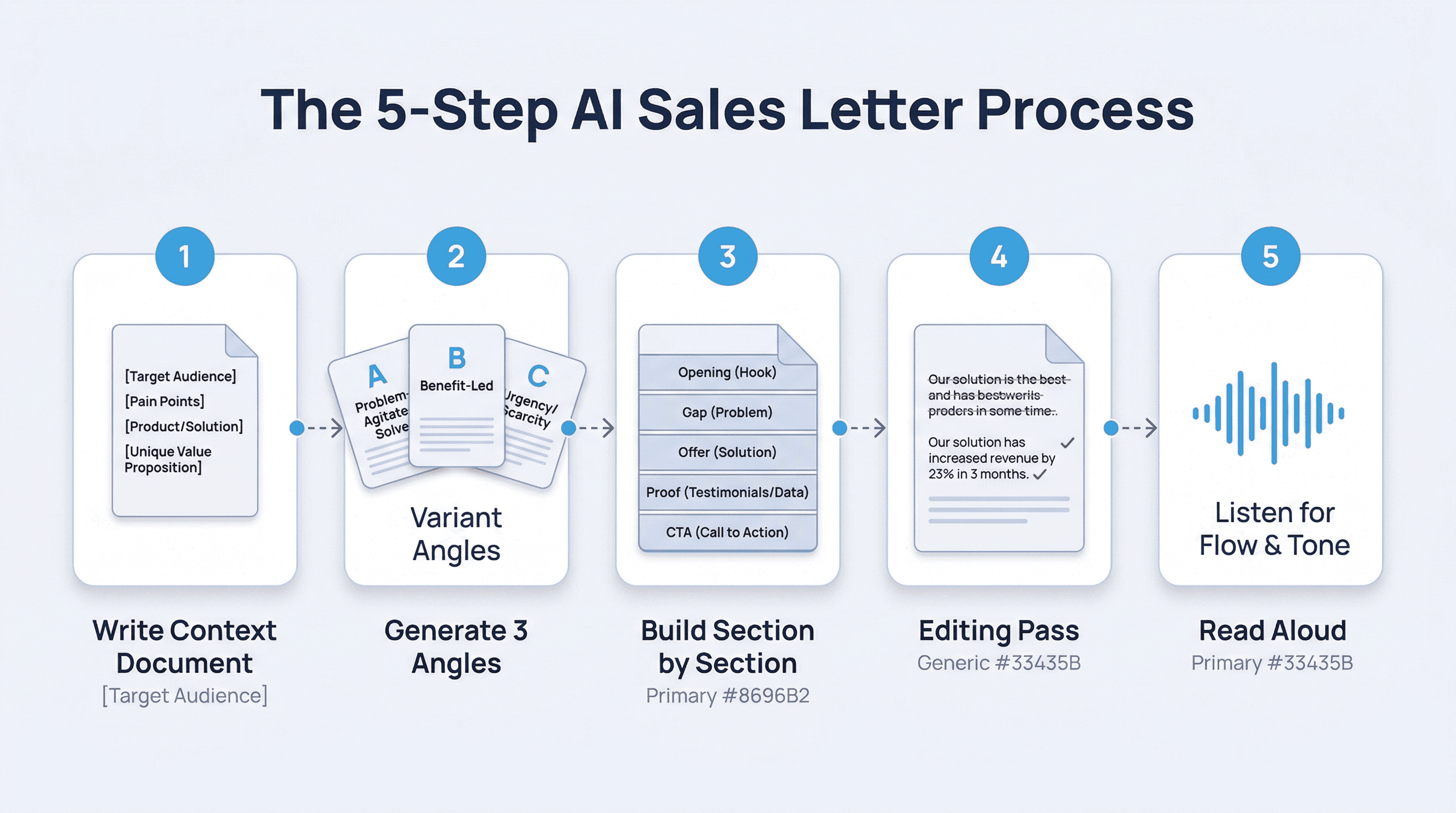
Step 1: Write the context document before any prompt
Before you open a chat window, write a 150–200 word context document. This is not a prompt—it's a brief for the AI to work from.
[Your product in one sentence]
[Your ICP: role, company size, situation]
[The specific pain you're solving]
[Why they're experiencing this pain now, not always]
[One proof point: a specific client result, not a category]
[The one thing you want the reader to do after reading]
[Tone: professional, direct, no marketing language]
Example:
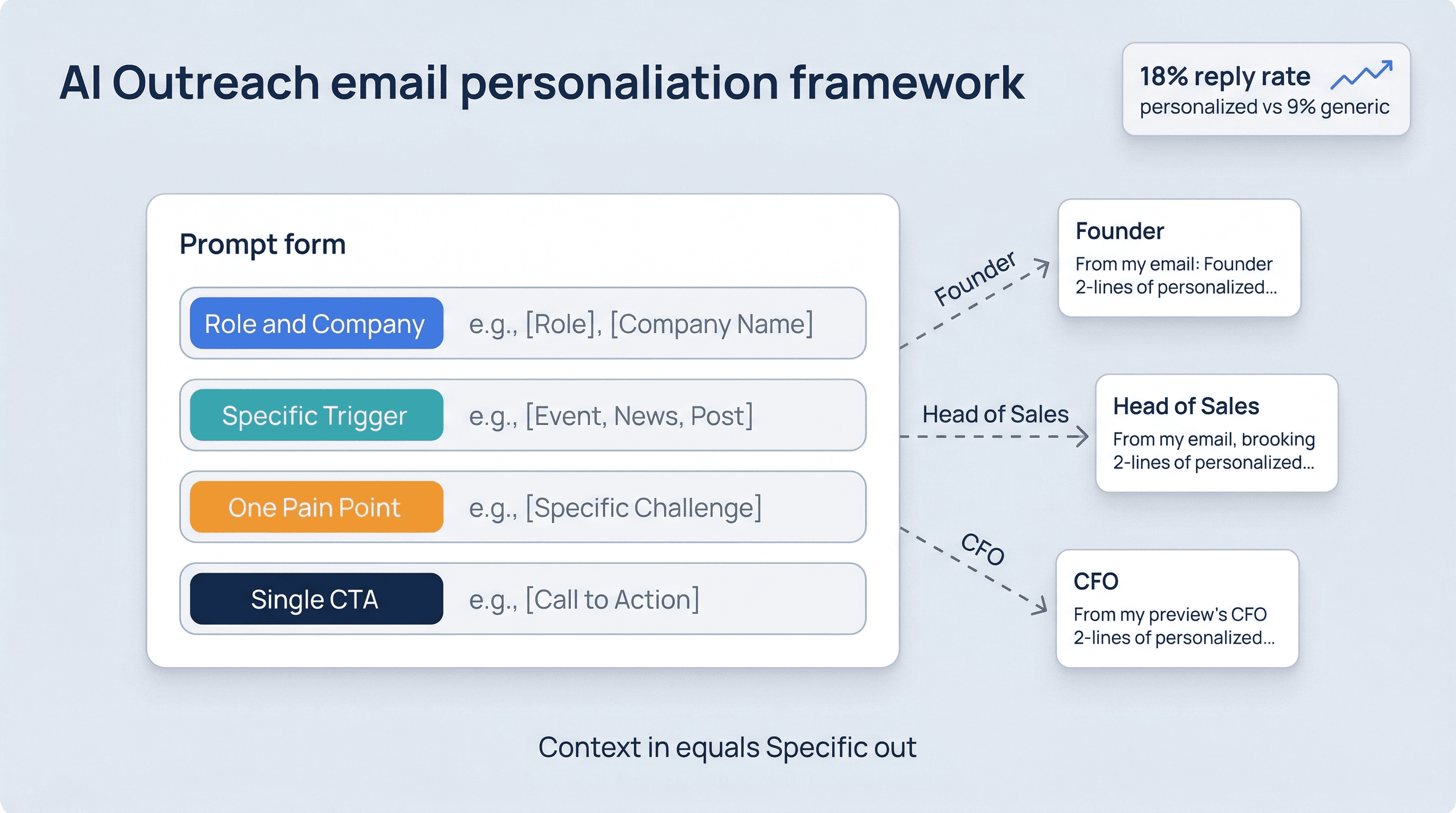
We build automated outbound for marketing agencies. Our ICP is a founder or head of growth at a 10–30-person agency that grew on referrals and is now building outbound for the first time. The pain: they're doing outreach manually, losing follow-up threads, and spending 5+ hours per week on prospecting instead of client work. This pain is acute now because referral growth is slowing and they need a repeatable pipeline by Q3. One proof: a client at a 15-person design agency went from zero outbound meetings to 4 qualified calls per week in their first month. CTA: book a short call. Tone: direct, not hypey, like an email from a smart operator who's done this before.
Now write prompts from that context. Everything you generate will be specific because you made the inputs specific.
Step 2: Generate three angles, pick one
Ask the AI for variants, not one draft:
Using the context document above, write three opening paragraphs for a sales letter—each using a different angle:
1. Opens with the cost of inaction
2. Opens with a counterintuitive observation about referral-led growth
3. Opens with a specific situation the reader will recognize immediately

Keep each under 60 words. No marketing language. Direct tone.
Read all three. The one that makes you think "yeah, that's it" is the starting point. The ones that feel flat tell you something about which angle isn't landing.
Step 3: Build the letter section by section
Don't ask the AI to write the whole letter in one prompt. Write each section separately:
Opening: Establishes the problem or situation. Under 80 words. Specific.
The gap: Why the situation leads to a specific bad outcome if nothing changes. Not doom—just honest.
The offer: What you do. One sentence. No feature list.
The proof: One specific result. Not a vague "our clients see results"—a number, a timeframe, a recognizable situation.
The bridge: Why this proof applies to the reader.
CTA: One action. Specific. Low friction.
Prompting section by section gives you control over each part and prevents the AI from filling in gaps with generic content when it doesn't know what to say.
Step 4: The editing pass (where most people stop too early)
First drafts from AI need editing. Not because they're wrong—because they're safe. The model doesn't know which specific claim is your strongest, so it hedges. It writes balanced when you need pointed.
Run this editing prompt:
Here is a sales letter draft:
[paste draft]

Do the following editing pass:
1. Identify any sentence that could apply to any company in this category—not just this specific buyer. Flag it.
2. Identify any claim that lacks a specific number or example. Flag it.
3. Identify any transition that feels generic ("Furthermore," "Additionally," etc.). Replace with shorter, direct language.
4. Check that the CTA is one action and sounds like something a real person would say.

Output: revised draft + a list of what changed.
This editing pass is often more valuable than the generation step. It forces specificity.
Step 5: Read it out loud
This is a low-tech trick that catches problems the AI doesn't. Read the finished letter out loud. Any sentence you trip on, hesitate before, or feel embarrassed saying is a sentence that needs work.
Sales copy that sounds like copy doesn't convert. Sales copy that sounds like a smart person who has done this work and is explaining it clearly—that moves people.
The AI can get you most of the way there. You have to do the last 20%.
See account research for personalization context, and multi-channel outreach for running this across channels.